Skip to content

Node 15 Release

This article was written over 18 months ago and may contain information that is out of date. Some content may be relevant but please refer to the relevant official documentation or available resources for the latest information.

Node 15 is out, and we have some really cool changes to report on. First up is the release of npm 7! Npm 7 features npm workspaces. This allows the ability to create a mono-repo with npm alone. This is a big deal as we have had to use yarn workspaces to supplement until now.

The default mode for unhandledRejection is changed to throw from warn

warn (pre-15)

(node:89219) UnhandledPromiseRejectionWarning: Error: woops
    at Object.<anonymous> (/home/josh/Dev/node15/index.js:1:16)
    at Module._compile (internal/modules/cjs/loader.js:1137:30)
    at Object.Module._extensions..js (internal/modules/cjs/loader.js:1157:10)
    at Module.load (internal/modules/cjs/loader.js:985:32)
    at Function.Module._load (internal/modules/cjs/loader.js:878:14)
    at Function.executeUserEntryPoint [as runMain] (internal/modules/run_main.js:71:12)
    at internal/main/run_main_module.js:17:47
(node:89219) UnhandledPromiseRejectionWarning: Unhandled promise rejection. This error originated either by throwing inside of an async function without a catch block, or by rejecting a promise which was not handled with .catch(). To terminate the node process on unhandled promise rejection, use the CLI flag '--unhandled-rejections=strict' (see https://nodejs.org/api/cli.html#cli_unhandled_rejections_mode). (rejection id: 1)
(node:89219) [DEP0018] DeprecationWarning: Unhandled promise rejections are deprecated. In the future, promise rejections that are not handled will terminate the Node.js process with a non-zero exit code.

throw (15+)

Promise.reject(new Error("woops"));
               ^
Error: woops
    at Object.<anonymous> (/home/josh/Dev/node15/index.js:1:16)
    at Module._compile (node:internal/modules/cjs/loader:1083:30)
    at Object.Module._extensions..js (node:internal/modules/cjs/loader:1112:10)
    at Module.load (node:internal/modules/cjs/loader:948:32)
    at Function.Module._load (node:internal/modules/cjs/loader:789:14)
    at Function.executeUserEntryPoint [as runMain] (node:internal/modules/run_main:72:12)
    at node:internal/main/run_main_module:17:47

The V8 JavaScript engine has been updated to 8.6. This update includes some new language features such as:

Promise.any()

const rabbit = new Promise(resolve) => setTimeout(resolve, 50, "rabbit"));
const tortoise = new Promise(resolve) => setTimeout(resolve, 300, "tortoise"));

const promises = [rabbit, tortoise];
Promise.any(promises).then(value => console.log(value));

// expected output: "rabbit"

AggregateError

const promises = [
  Promise.reject("firstRejection"),
  Promise.reject("secondRejection"),
];

Promise.any(promises)
  // All promises fail
  .then((value) => console.log(value))
  .catch((error) => console.log(error.errors));

  // expected output: [ 'firstRejection', 'secondRejection' ]

String.prototype.replaceAll()

const message =
  "Tommy went home and got a sandwich from the fridge and ate a sandwich";
const newMessage = message.replaceAll("yogurt", "a sandwich");
console.log(newMessage);

// expected output: 'Tommy went home and got yogurt from the fridge and ate yogurt'

Logical AND assignment &&=

let a = 1;
let b = false;

a &&= 41;
console.log(a);

// expected output: 2

b &&= 41;
console.log(b);

// expected output: false

Logical OR assignment ||=

const office = { code: "MATS", location: "" };

office.code ||= "LARS";
console.log(office.code);

// expected output: "MATS"

office.location ||= "San Antonio";
console.log(office.location);

// expected output: "San Antonio"

Logical nullish assignment ??=

const office = { code: "MATS" };

office.code ??= "LARS";
console.log(office.code);

// expected output: "MATS"

office.location ??= "San Antonio";
console.log(office.location);

// expected output: San Antonio

There is also a new format for package-lock.json and support for yarn.lock files. Finally, but not least, peer dependencies are now installed by default.

You can read more about this release on the following pages:

This Dot is a consultancy dedicated to guiding companies through their modernization and digital transformation journeys. Specializing in replatforming, modernizing, and launching new initiatives, we stand out by taking true ownership of your engineering projects.

We love helping teams with projects that have missed their deadlines or helping keep your strategic digital initiatives on course. Check out our case studies and our clients that trust us with their engineering.

You might also like

Understanding Sourcemaps: From Development to Production cover image

Understanding Sourcemaps: From Development to Production

What Are Sourcemaps? Modern web development involves transforming your source code before deploying it. We minify JavaScript to reduce file sizes, bundle multiple files together, transpile TypeScript to JavaScript, and convert modern syntax into browser-compatible code. These optimizations are essential for performance, but they create a significant problem: the code running in production does not look like the original code you wrote. Here's a simple example. Your original code might look like this: ` After minification, it becomes something like this: ` Now imagine trying to debug an error in that minified code. Which line threw the exception? What was the value of variable d? This is where sourcemaps come in. A sourcemap is a JSON file that contains a mapping between your transformed code and your original source files. When you open browser DevTools, the browser reads these mappings and reconstructs your original code, allowing you to debug with variable names, comments, and proper formatting intact. How Sourcemaps Work When you build your application with tools like Webpack, Vite, or Rollup, they can generate sourcemap files alongside your production bundles. A minified file references its sourcemap using a special comment at the end: ` The sourcemap file itself contains a JSON structure with several key fields: ` The mappings field uses an encoding format called VLQ (Variable Length Quantity) to map each position in the minified code back to its original location. The browser's DevTools use this information to show you the original code while you're debugging. Types of Sourcemaps Build tools support several variations of sourcemaps, each with different trade-offs: Inline sourcemaps: The entire mapping is embedded directly in your JavaScript file as a base64 encoded data URL. This increases file size significantly but simplifies deployment during development. ` External sourcemaps: A separate .map file that's referenced by the JavaScript bundle. This is the most common approach, as it keeps your production bundles lean since sourcemaps are only downloaded when DevTools is open. Hidden sourcemaps: External sourcemap files without any reference in the JavaScript bundle. These are useful when you want sourcemaps available for error tracking services like Sentry, but don't want to expose them to end users. Why Sourcemaps During development, sourcemaps are absolutely critical. They will help avoid having to guess where errors occur, making debugging much easier. Most modern build tools enable sourcemaps by default in development mode. Sourcemaps in Production Should you ship sourcemaps to production? It depends. While security by making your code more difficult to read is not real security, there's a legitimate argument that exposing your source code makes it easier for attackers to understand your application's internals. Sourcemaps can reveal internal API endpoints and routing logic, business logic, and algorithmic implementations, code comments that might contain developer notes or TODO items. Anyone with basic developer tools can reconstruct your entire codebase when sourcemaps are publicly accessible. While the Apple leak contained no credentials or secrets, it did expose their component architecture and implementation patterns. Additionally, code comments can inadvertently contain internal URLs, developer names, or company-specific information that could potentially be exploited by attackers. But that’s not all of it. On the other hand, services like Sentry can provide much more actionable error reports when they have access to sourcemaps. So you can understand exactly where errors happened. If a customer reports an issue, being able to see the actual error with proper context makes diagnosis significantly faster. If your security depends on keeping your frontend code secret, you have bigger problems. Any determined attacker can reverse engineer minified JavaScript. It just takes more time. Sourcemaps are only downloaded when DevTools is open, so shipping them to production doesn't affect load times or performance for end users. How to manage sourcemaps in production You don't have to choose between no sourcemaps and publicly accessible ones. For example, you can restrict access to sourcemaps with server configuration. You can make .map accessible from specific IP addresses. Additionally, tools like Sentry allow you to upload sourcemaps during your build process without making them publicly accessible. Then configure your build to generate sourcemaps without the reference comment, or use hidden sourcemaps. Sentry gets the mapping information it needs, but end users can't access the files. Learning from Apple's Incident Apple's sourcemap incident is a valuable reminder that even the largest tech companies can make deployment oversights. But it also highlights something important: the presence of sourcemaps wasn't actually a security vulnerability. This can be achieved by following good security practices. Never include sensitive data in client code. Developers got an interesting look at how Apple structures its Svelte codebase. The lesson is that you must be intentional about your deployment configuration. If you're going to include sourcemaps in production, make that decision deliberately after considering the trade-offs. And if you decide against using public sourcemaps, verify that your build process actually removes them. In this case, the public repo was quickly removed after Apple filed a DMCA takedown. (https://github.com/github/dmca/blob/master/2025/11/2025-11-05-apple.md) Making the Right Choice So what should you do with sourcemaps in your projects? For development: Always enable them. Use fast options, such as eval-source-map in Webpack or the default configuration in Vite. The debugging benefits far outweigh any downsides. For production: Consider your specific situation. But most importantly, make sure your sourcemaps don't accidentally expose secrets. Review your build output, check for hardcoded credentials, and ensure sensitive configurations stay on the backend where they belong. Conclusion Sourcemaps are powerful development tools that bridge the gap between the optimized code your users download and the readable code you write. They're essential for debugging and make error tracking more effective. The question of whether to include them in production doesn't have a unique answer. Whatever you decide, make it a deliberate choice. Review your build configuration. Verify that sourcemaps are handled the way you expect. And remember that proper frontend security doesn't come from hiding your code. Useful Resources * Source map specification - https://tc39.es/ecma426/ * What are sourcemaps - https://web.dev/articles/source-maps * VLQ implementation - https://github.com/Rich-Harris/vlq * Sentry sourcemaps - https://docs.sentry.io/platforms/javascript/sourcemaps/ * Apple DMCA takedown - https://github.com/github/dmca/blob/master/2025/11/2025-11-05-apple.md...

The Future of Dates in JavaScript: Introducing Temporal cover image

The Future of Dates in JavaScript: Introducing Temporal

The Future of Dates in JavaScript: Introducing Temporal What is Temporaal? Temporal is a proposal currently at stage 3 of the TC39 process. It's expected to revolutionize how we handle dates in JavaScript, which has always been a challenging aspect of the language. But what does it mean that it's at stage 3 of the process? * The specification is complete * It has been reviewed * It's unlikely to change significantly at this point Key Features of Temporal Temporal introduces a new global object with a fresh API. Here are some important things to know about Temporal: 1. All Temporal objects are immutable 2. They're represented in local calendar systems, but can be converted 3. Time values use 24-hour clocks 4. Leap seconds aren't represented Why Do We Need Temporal? The current Date object in JavaScript has several limitations: * No support for time zones other than the user's local time and UTC * Date objects can be mutated * Unpredictable behavior * No support for calendars other than Gregorian * Daylight savings time issues While some of these have workarounds, not all can be fixed with the current Date implementation. Let's see some useful examples where Temporal will improve our lives: Some Examples Creating a day without a time zone is impossible using Date, it also adds time beyond the date. Temporal introduces PlainDate to overcome this. ` But what if we want to add timezone information? Then we have ZonedDateTime for this purpose. The timezone must be added in this case, as it also allows a lot of flexibility when creating dates. ` Temporal is very useful when manipulating and displaying the dates in different time zones. ` Let's try some more things that are currently difficult or lead to unexpected behavior using the Date object. Operations like adding days or minutes can lead to inconsistent results. However, Temporal makes these operations easier and consistent. ` Another interesting feature of Temporal is the concept of Duration, which is the difference between two time points. We can use these durations, along with dates, for arithmetic operations involving dates and times. Note that Durations are serialized using the ISO 8601 duration format ` Temporal Objects We've already seen some of the objects that Temporal exposes. Here's a more comprehensive list. * Temporal * Temporal.Duration` * Temporal.Instant * Temporal.Now * Temporal.PlainDate * Temporal.PlainDateTime * Temporal.PlainMonthDay * Temporal.PlainTime * Temporal.PlainYearMonth * Temporal.ZonedDateTime Try Temporal Today If you want to test Temporal now, there's a polyfill available. You can install it using: ` Note that this doesn't install a global Temporal object as expected in the final release, but it provides most of the Temporal implementation for testing purposes. Conclusion Working with dates in JavaScript has always been a bit of a mess. Between weird quirks in the Date object, juggling time zones, and trying to do simple things like “add a day,” it’s way too easy to introduce bugs. Temporal is finally fixing that. It gives us a clear, consistent, and powerful way to work with dates and times. If you’ve ever struggled with JavaScript dates (and who hasn’t?), Temporal is definitely worth checking out....

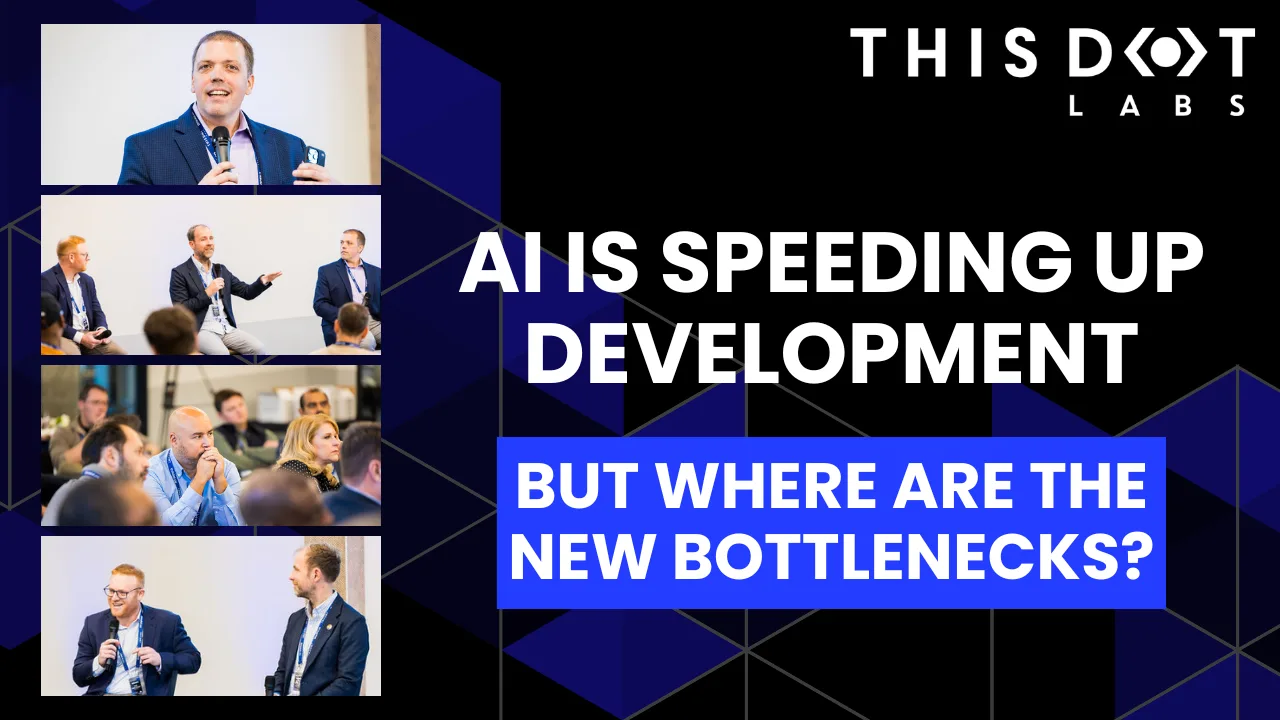
AI Is Speeding Up Development. But Where Are the New Bottlenecks? cover image

AI Is Speeding Up Development. But Where Are the New Bottlenecks?

AI is accelerating development, but it’s also exposing everything else that’s broken. At the Leadership Exchange, leaders unpacked how AI is reshaping the SDLC and what organizations need to address beyond just coding to make adoption successful. Moderated by Rob Ocel, VP of Innovation at This Dot Labs, the panel featured Itai Gerchikov at Anthropic and Harald Kirschner, Principal Product Manager for GitHub Copilot & VS Code at Microsoft. Panelists explored the current state of AI adoption across the software development lifecycle and shared practical insights into how organizations can effectively integrate AI tools. Panelists discussed how companies are investing in AI tools, skills, and managed competency programs to support developers. While AI can dramatically accelerate coding, the panel emphasized that adoption affects every stage of the SDLC. Bottlenecks now appear in testing, DevOps, product delivery, and marketing as AI speeds up development. Organizations that address technical debt and process inefficiencies are better positioned to extract maximum value from AI tools. The conversation also focused on opportunities and risks. Security, governance, and workforce education were highlighted as critical factors for adoption. Panelists stressed that AI initiatives should be aligned with broader business goals rather than pursued in isolation. They noted that companies experimenting at the cutting edge need to consider organizational readiness just as carefully as technical capabilities. Panelists also explored how leading organizations are navigating the early stages of adoption. Those ahead of the curve are using structured experimentation, prioritizing process improvements, and continuously evaluating outcomes to refine their AI strategies. Learning from these early adopters allows other organizations to anticipate emerging trends and prepare for the next phase of AI adoption rather than simply replicating past approaches. Key Takeaways - Investing in AI skills and tools should be done thoughtfully, with clear alignment to business objectives. - Examining the full SDLC helps identify bottlenecks that AI may accelerate or expose. - Organizations can gain a competitive advantage by learning from early adopters and planning for where AI adoption is heading. AI adoption is not just a technical initiative; it is a strategic transformation that requires attention to people, process, and technology. Organizations that balance innovation with operational discipline will be best positioned to capture the full potential of AI across the software lifecycle. Seeing similar challenges in your own SDLC? Let’s compare notes. Join us at an upcoming Leadership Exchange or reach out to continue the conversation. Tracy can be reached at tlee@thisdot.co....

Making AI Deliver: From Pilots to Measurable Business Impact cover image

Making AI Deliver: From Pilots to Measurable Business Impact

A lot of organizations have experimented with AI, but far fewer are seeing real business results. At the Leadership Exchange, this panel focused on what it actually takes to move beyond experimentation and turn AI into measurable ROI. Over the past few years, many organizations have experimented with AI, but the challenge today is translating experimentation into measurable business value. Moderated by Tracy Lee, CEO at This Dot Labs, panelists featured Dorren Schmitt, Vice President IT Strategy & Innovation at Allen Media Group, Greg Geodakyan, CTO at Client Command, and Elliott Fouts, CAIO & CTO at This Dot Labs. Panelists discussed how companies are moving from early AI experiments to initiatives that deliver real results. They began by examining how experimentation has evolved over the past year. While many organizations did not fully utilize AI experimentation budgets in 2025, 2026 is showing a shift toward more intentional investment. Structured budgets and clearly defined frameworks are enabling companies to explore AI strategically and identify initiatives with high potential impact. The conversation then turned to alignment and ROI. Panelists highlighted the importance of connecting AI projects to corporate strategy and leadership priorities. Ensuring that AI initiatives translate into operational efficiency, productivity gains, and measurable business impact is essential. Companies that successfully align AI efforts with organizational goals are better equipped to demonstrate tangible outcomes from their investments. Moving from pilots and proofs of concept to production was another major focus. Governance, prioritization, and workflow integration were cited as essential for scaling AI initiatives. One panelist shared that out of nine proofs of concept, eight successfully launched, resulting in improvements in quality and operational efficiency. Panelists also explored the future of AI within organizations, including the potential for agentic workflows and reduced human-in-the-loop processes. New capabilities are emerging that extend beyond coding tasks, reshaping how teams collaborate and how work is structured across departments. Key Takeaways - Structured experimentation and defined budgets allow organizations to explore AI strategically and safely. - Alignment with business priorities is essential for translating AI capabilities into measurable outcomes. - Governance and workflow integration are critical to moving AI initiatives from pilot stages to production deployment. Successfully leveraging AI requires a balance between experimentation, strategic alignment, and operational discipline. Organizations that approach AI as a structured, measurable initiative can capture meaningful results and unlock new opportunities for innovation. Curious how your organization can move from AI experimentation to real impact? Let’s talk. Reach out to continue the conversation or join us at an upcoming Leadership Exchange. Tracy can be reached at tlee@thisdot.co....

Let's innovate together!

We're ready to be your trusted technical partners in your digital innovation journey.

Whether it's modernization or custom software solutions, our team of experts can guide you through best practices and how to build scalable, performant software that lasts.

Prefer email? hi@thisdot.co