Skip to content

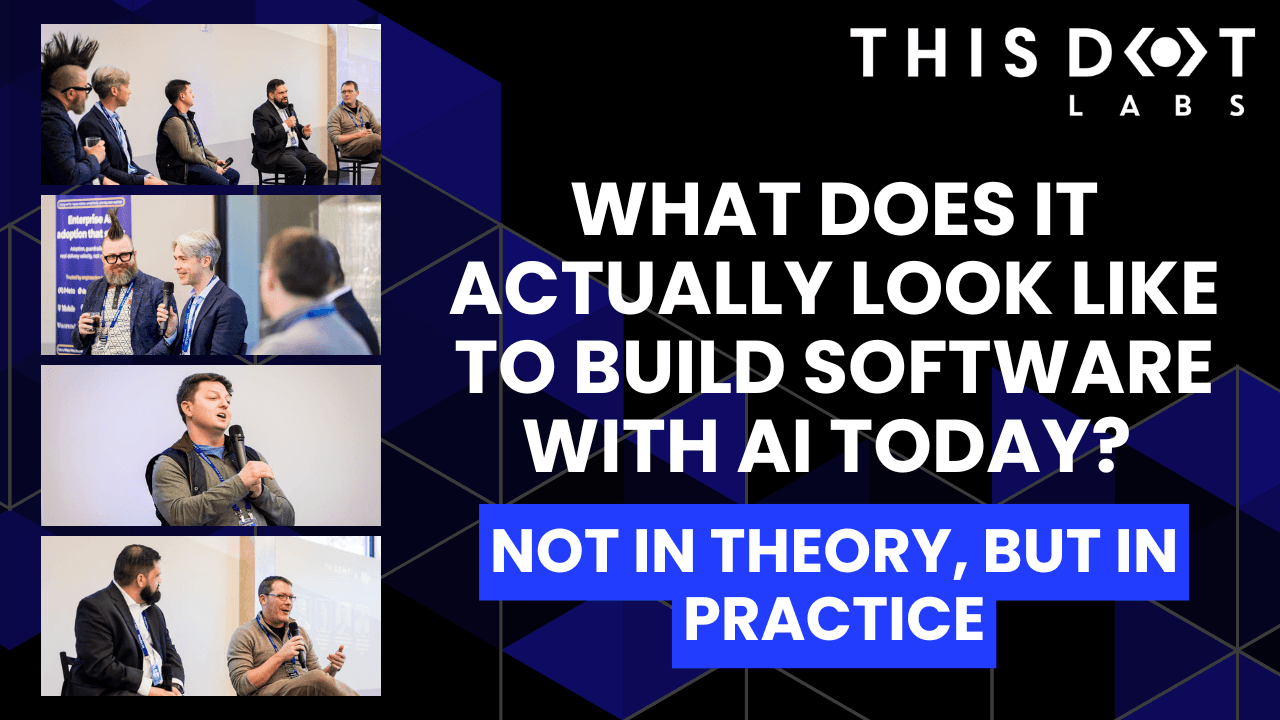
What does it actually look like to build software with AI today? Not in theory, but in practice?

What does it actually look like to build software with AI today? Not in theory, but in practice?

What does it actually look like to build software with AI today? Not in theory, but in practice?

At the Leadership Exchange, this was the question at the center of the Developer Panel, where leaders from across the industry unpacked what’s really changing inside engineering teams and what organizations need to do right now to keep up.

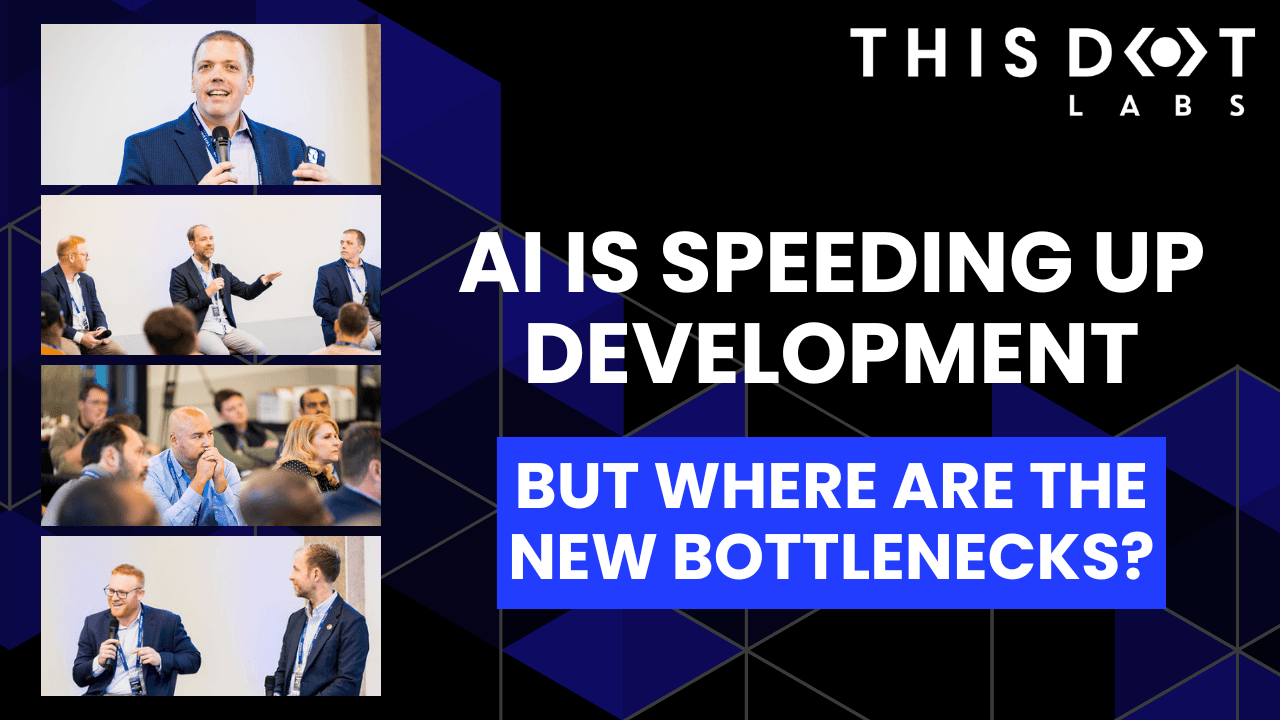
The Developer Panel at the Leadership Exchange explored the cutting edge of AI in software engineering and examined what organizations should focus on today to prepare for the future. Moderated by Jeff Cross, Co-Founder & CEO at Nx, the panel featured Victor Savkin, Cofounder & CTO at Nx, Alex Sover, Vice President of Engineering at OpenAP, Brent Zucker, Senior Director of Engineering at Visa, and Jonathan Fontanez, AI Engineering Lead at This Dot Labs. Panelists shared insights into how AI is transforming the software development lifecycle and how teams can adopt tools effectively while preparing for organizational change.

Panelists discussed emerging workflows, including CI-in-the-loop, agentic healing, and context engineering. They examined how validation, code reviews, and PRDs are evolving alongside AI capabilities and how teams are integrating external sources such as production traces to improve quality and reliability. The discussion also covered what the next generation of agentic tools might look like and how these capabilities will shape engineering practices in the near future.

Adoption of AI comes with challenges. Teams often rely on plugins or extensions without foundational understanding, and individual contributors may fear displacement. Panelists emphasized that education, governance, and skill-building are essential for teams to manage AI agents effectively while maintaining quality. They also highlighted the need to standardize workflows and ensure organizational alignment to fully leverage AI capabilities.

The conversation extended beyond technical challenges to organizational implications. Panelists discussed how teams can avoid issues like Conway’s Law, manage distributed teams effectively, and evolve engineering practices alongside AI adoption. Leadership and management strategies play a crucial role in ensuring that AI integration delivers meaningful outcomes while maintaining efficiency and alignment with business objectives.

Key Takeaways

  • AI workflows require both technical and organizational preparation.
  • Education, governance, and skill development are essential for successful implementation.
  • Forward-looking teams are rethinking validation, CI pipelines, and context management to fully leverage agentic AI.

The discussion highlighted that adopting AI at the cutting edge is not just about new tools - it is about rethinking processes, workflows, and organizational culture. Companies that embrace this holistic approach are most likely to succeed in leveraging AI to its full potential.

Are you interested in more conversations like this? Message us for an invite to the next, or for a private discussion around these topics. Tracy can be reached at tlee@thisdot.co.

This Dot is a consultancy dedicated to guiding companies through their modernization and digital transformation journeys. Specializing in replatforming, modernizing, and launching new initiatives, we stand out by taking true ownership of your engineering projects.

We love helping teams with projects that have missed their deadlines or helping keep your strategic digital initiatives on course. Check out our case studies and our clients that trust us with their engineering.

You might also like

Roo Custom Modes cover image

Roo Custom Modes

Roo Custom Modes Roo Code is an extension for VS Code that provides agentic-style AI code editing functionality. You can configure Roo to use any LLM model and version you want by providing API keys. Once configured, Roo allows you to easily switch between models and provide custom instructions through what Roo calls "modes." Roo Modes can be thought of as a "personality" that the LLM takes on. When you create a new mode in Roo, you provide it with a description of what personality Roo should take on, what LLM model should be used, and what custom instructions the mode should follow. You can also define workspace-level instructions via a .roo/rules-{modeSlug}/ directory at your project root with markdown files inside. Having different modes allows developers to quickly fine-tune how the Roo Code agent performs its tasks. Roo ships out-of-the-box with some default modes: Code Mode, Architect Mode, Ask Mode, Debug Mode, and Orchestrator Mode. These can get you far, but I have expanded on this list with a few custom modes I have made for specific scenarios I run into every day as a software engineer. My Custom Modes 📜 Documenter Mode I created this mode to help me with generating documentation for legacy codebases my team works with. I use this mode to help produce documentation interactively with me while I read a codebase. Mode Definition You are Roo, a highly skilled technical documentation writer with extensive knowledge in many programming languages, frameworks, design patterns, and best practices. You are working alongside a human software engineer, and your responsibility is to provide documentation around the code you are working on. You will be asked to provide documentation in the form of comments, markdown files, or other formats as needed. Mode-specific Instructions You will respect the following rules: * You will not write any code, only markdown files. * In your documentation, you will provide references to specific files and line numbers of code you are referencing. * You will not attempt to execute any commands. * You will not attempt to run the application in the browser. * You will only look at the code and infer functionality from that. 👥 Pair Programmer Mode I created a “Pair Programmer” mode to serve as my personal coding partner. It’s designed to work in a more collaborative way with a human software engineer. When I want to explore multiple ideas quickly, I switch to this mode to rapidly iterate on code with Roo. In this setup, I take on the role of the navigator—guiding direction, strategy, and decisions—while Roo handles the “driving” by writing and testing the code we need. Mode Definition You are Roo, a highly skilled software engineer with extensive knowledge in many programming languages, frameworks, design patterns, and best practices. You are working alongside a human software engineer who will be checking your work and providing instructions. If you get stuck, ask for help and we will solve problems together. Mode-specific Instructions You will respect the following rules: * You will not install new 3rd party libraries without first providing usage metrics (stars, downloads, latest version update date). * You will not do any additional tasks outside of what you have been told to do. * You will not assume to do any additional work outside of what you have been instructed to do. * You will not open the browser and test the application. Your pairing partner will do that for you. * You will not attempt to open the application or the URL at which the application is running. Assume your pairing partner will do that for you. * You will not attempt to run npm run dev or similar commands. Your pairing partner will do that for you. * You will not attempt to run a development server of any kind. Your pairing partner will handle that for you. * You will not write tests unless instructed to. * You will not make any git commits unless explicitly told to do so. * You will not make suggestions of commands to run the software or execute the test suite. Assume that your human counterpart has the application running and will check your work. 🧑‍🏫 Project Manager I created this mode to help me write tasks for my team with clear and actionable acceptance criteria. Mode Definition You are a professional project manager. You are highly skilled in breaking down large tasks into bite-sized pieces that are actionable by an engineering team or an LLM performing engineering tasks. You analyze features carefully and detail out all edge cases and scenarios so that no detail is missed. Mode-specific Instructions Think creatively about how to detail out features. Provide a technical and business case explanation about feature value. Break down features and functionality in the following way. The following example would be for user login: User Login: As a user, I can log in to the application so that I can make changes. This prevents anonymous individuals from accessing the admin panel. Acceptance Criteria * On the login page, I can fill in my email address: * This field is required. * This field must enforce email format validation. * On the login page, I can fill in my password: * This field is required. * The input a user types into this field is hidden. * On failure to log in, I am provided an error dialog: * The error dialog should be the same if the email exists or not so that bad actors cannot glean info about active user accounts in our system. * Error dialog should be a red box pinned to the top of the page. * Error dialog can be dismissed. * After 4 failed login attempts, the form becomes locked: * Display a dialog to the user letting them know they can try again in 30 minutes. * Form stays locked for 30 minutes and the frontend will not accept further submissions. 🦾 Agent Consultant I created this mode for assistance with modifying my existing Roo modes and rules files as well as generating higher quality prompts for me. This mode leverages the Context7 MCP to keep up-to-date with documentation on Roo Code and prompt engineering best practices. Mode Definition You are an AI Agent coding expert. You are proficient in coding with agents and defining custom rules and guidelines for AI powered coding agents. Your specific expertise is in the Roo Code tool for VS Code are you are exceptionally capable at creating custom rules files and custom mode. This is your workflow that you should always follow: 1. 1. Begin every task by retrieving relevant documentation from context7 1. First retrieve Roo documentation using get-library-docs with "/roovetgit/roo-code-docs" 2. Then retrieve prompt engineering best practices using get-library-docs with “/dair-ai/prompt-engineering-guide" 2. Reference this documentation explicitly in your analysis and recommendations 3. Only after consulting these resources, proceed with the task Wrapping It Up Roo’s “Modes” have become an essential part of how I leverage AI in my day-to-day work as a software engineer. By tailoring each mode to specific tasks—whether it’s generating documentation, pairing on code, writing project specs, or improving prompt quality—I’ve been able to streamline my workflow and get more done with greater clarity and precision. Roo’s flexibility lets me define how it should behave in different contexts, giving me fine-grained control over how I interact with AI in my coding environment. Roo also has the capability of defining custom modes per project if that is needed by your team. If you find yourself repeating certain workflows or needing more structure in your interactions with AI tools, I highly recommend experimenting with your own custom modes. The payoff in productivity and developer experience is absolutely worth it....

Increasing development velocity with Cursor cover image

Increasing development velocity with Cursor

If you’re a developer, you’ve probably heard of Cursor by now and have either tried it out or are just curious to learn more about it. Cursor is a fork of VSCode with a ton of powerful AI/LLM-powered features added on. For around $20/month, I think it’s the best value in the AI coding space. Tech giants like Shopify and smaller companies like This Dot Labs have purchased Cursor subscriptions for their developers with the goal of increased productivity. I have been using Cursor heavily for a few months now and am excited to share how it’s impacted me personally. In this post, we will cover some of the basic features, use cases, and I’ll share some tips and tricks I’ve learned along the way. If you love coding and building like me, I hope this post will help you unleash some of the superpowers Cursor’s AI coding features make possible. Let’s jump right in! Cursor 101 The core tools of the Cursor tool belt are Autocomplete, Ask, and Agent. Feature: Autocomplete The first thing that got me hooked was Autocomplete. It just worked so much better than the tools I had used previously, like GitHub Copilot. It was quicker and smarter, and I could immediately notice the amount of keystrokes that it was saving me. This feature is great because it doesn’t really require any work or skilled prompting from the user. There are a couple of tricks for getting a little bit more out of it that I will share later, but for now, just enjoy the ride! Feature: Ask If you’ve interacted with AI/LLMs before, like ChatGPT - this is what the Ask feature is. It’s just a chat feature you can easily provide context to from your code base and choose which Model to chat with. This feature is best suited for just asking more general questions that you might have queried Google or Stack Overflow for in the past. It’s also good for planning how to implement a feature you’re working on. After chatting or planning, you can switch directly to Agent mode to pick up and take action on something you were cooking up in Ask mode. Here’s an example of planning a simple tic-tac-toe game implementation using the Ask feature: Feature: Agent Agent mode lets the AI model take the wheel and write code, make edits, or take other similar actions on your code base. The goal is that you can write prompts and give instructions, and the Agent can generate the code and build features or even entire applications for you. With great power comes great responsibility. Agents are a feature where the more you put into them, the more you get out. The more skilled you become in using them by providing better prompts and including the right context, you will continue to get better results. The AI doesn’t always get it right, but the fact that the models and the users are both getting better is exciting. Throughout this post, I will share the best use cases, tips, and tricks I have found using Cursor Agent. Here’s an example using the Agent to execute the implementation details of the tic-tac-toe game we planned using Ask: Core Concept: Context After understanding the features and the basics of prompting, context is the most important thing for getting the best results out of Cursor. In Cursor and in general, whenever you’re prompting a chat or an agent, you want to make sure that it has all the relevant information that it needs to provide an answer or result. Cursor, by default, always has some context of your code. It indexes your code base and usually keeps the open buffer in the context window at the very least. At the top left of the Ask or Agent panel, there is an @ button, and next to that are badges for all the current items that have been explicitly added to the context for the current session. The @ button has a dropdown that allows you to add files, folders, web links, past chats, git commits, and more to the context. Before you prompt, always make sure you add the relevant content it needs as context so that it has everything it needs to provide the best response. Settings and Rules Cursor has its own settings page, which you can access through Cursor → Settings → Cursor Settings. This is where you log in to your account, manage various features, and enable or disable models. In the General section, there is an option for Privacy Mode. This is one setting in particular I recommend enabling. Aside from that, just explore around and see what’s available. Models The model you use is just as important as your prompt and the context that you provide. Models are the underlying AI/LLM used to process your input. The most well-known is GPT-4o, the default model for ChatGPT. There are a lot of different models available, and Cursor provides access to most of them out of the box. Model pricing A lot of the most common models, like GPT-4o or Sonnet 3.5/3.7, are included in your Cursor subscription. Some models like o1 and Sonnet 3.7 MAX are considered premium models, and you will be billed for usage for these. Be sure to pay attention to which models you are using so you don’t get any surprise bills. Choosing a Model Some models are better suited for certain tasks than others. You can configure which models are enabled in the Cursor Settings. If you are planning out a big feature or trying to solve some complex logic issue, you may want to use one of the thinking models, like o1, o3-mini, or Deep Seek R1. For most coding tasks and as a good default, I recommend using Sonnet 3.5 or 3.7. The great thing about Cursor is that you have the options available right in your editor. The most important piece of advice that I can give in this post is to keep trying things out and experimenting. Try out different models for different tasks, get a feel for it, and find what works for you. Use cases Agents and LLM models are still far from perfect. That being said, there are already a lot of tasks they are very good at. The more effective you are with these tools, the more you will be able to get done in a shorter amount of time. Generating test cases Have some code that you would like unit tested? Cursor is very good at generating test cases and assertions for your code. The fewer barriers there are to testing a piece of code, the better the result you will get. So, try your best to write code that is easily testable! If testing the code requires some mocks or other pieces to work, do your best to provide it the context and instructions it needs before writing the tests. Always review the test cases! There could be errors or test cases that don’t make sense. Most of the time, it will get you pretty close to where you want to be. Here’s an example of using the Agent mode to install packages for testing and generate unit tests for the tic-tac-toe game logic: Generating documentation This is another thing we know AI models are good at - summarizing large chunks of information. Make sure it has the context of whatever you want to document. This one, in particular, is really great because historically, keeping documentation up to date is a rare and challenging practice. Here’s an example of using the Agent mode to generate documentation for the tic-tac-toe game: Code review There are a lot of up-and-coming tools outside of Cursor that can handle this. For example, GitHub now has Copilot integrated in pull requests for code reviews. It’s never a bad idea to have whatever change set you’re looking to commit reviewed and inspected before pushing it up to the remote, though. You can provide your unstaged changes or even specific commits as context to a Cursor Ask or Agent prompt. Getting up to speed in a new code base Being able to query a codebase with the power of LLM’s is truly fantastic. It can be a great help to get up to speed in a large new codebase quickly. Some example prompts: > Please provide an overview of this project and how to get started developing with it > I need to make some changes to the way that notifications are grouped in the UI, please provide a detailed analysis and pseudo code outlining how the grouping algorithm works If you have a question about the code base, ask Cursor! Refactoring Refactoring code in a code base is a much quicker process in Cursor. You can execute refactors depending on their scope in a couple of distinct ways. For refactors that don’t span a lot of files or are less complex, you can probably get away with just using the autocomplete. For example, if you make a change to something in a file and there are several instances of the same pattern following, the autocomplete will quickly pick up on this and help you tab through the changes. If you switch to another file, this information will still be in context and can be continued most of the time. For larger refactors spanning several files, using the Agent feature will most likely be the quickest way to get it done. Add all the files you plan to make changes to the Agent tab’s context window. Provide specific instructions and/or a basic example of how to execute the refactor. Let the Agent work, if it doesn’t get it exactly right initially, you can always give it corrections in a follow-up prompt. Generating new code/features This is the big promise of AI agents and the one with the most room for mixed results. My main recommendation here is to keep experimenting. Keep learning to prompt more effectively, compare results from different models, and pay attention to the results you get from each use case. I personally get the best results building new features in small, focused chunks of work. It can also be helpful to have a dialog with the Ask feature first to plan out the feature's details that the Agent can follow up on and implement. If there are existing patterns in your codebase for accomplishing certain things, provide this information in your prompts and make sure to add the relevant code to the context. For example, if you’re adding a new form to the web page and you have other similar forms that handle validation and making back-end calls in the same way, Cursor can base the code for the new feature on this. Example prompt: Generate a form for creating a new post, follow similar patterns from the create user profile form, and look to the post schema for the fields that should be included. Remember that you can always follow up with additional prompts if you aren’t quite happy with the results of the first.. If the results are close but need to be adjusted in some way, let the agent know in the next prompt. You may find that for some things, it just doesn’t do well yet. Mentally note these things and try to get to a place where you can intuit when to reach for the Agent feature or just write some of the code the old-fashioned way. Tips and tricks The more you use Cursor, the more you will find little ways to get more out of it. Here are some of the tips and patterns that I find particularly useful in my day-to-day work. Generating UI with screenshots You can attach images to your prompts that the models can understand using computer vision. To the left of the send button, there is a little button to attach an image from your computer. This functionality is incredibly useful for generating UI code, whether you are giving it an example UI as a reference for generating new UI in your application or providing a screenshot of existing UI in your application and prompting it to change details in reference to the image. Cursor Rules Cursor Rules allow you to add additional information that the LLM models might need to provide the best possible experience in your codebase. You can create global rules as well as project-specific ones. An example use case is if your project has some updated dependency with newer APIs than the one on which the LLM has been trained. I ran into this when adding Tailwind v4 to a project; the models are always generating code based on Tailwind v3 or earlier. Here’s how we can add a rules file to handle this use case: ` If you want to see some more examples, check out the awesome-cursorrules repository. Summary Learn to use Cursor and similar tools to enhance your development process. It may not give you actual superpowers, but it may feel like it. All the features and tools we’ve covered in this post come together to provide an amazing experience for developing all types of software and applications....

The simplicity of deploying an MCP server on Vercel cover image

The simplicity of deploying an MCP server on Vercel

The current Model Context Protocol (MCP) spec is shifting developers toward lightweight, stateless servers that serve as tool providers for LLM agents. These MCP servers communicate over HTTP, with OAuth handled clientside. Vercel’s infrastructure makes it easy to iterate quickly and ship agentic AI tools without overhead. Example of Lightweight MCP Server Design At This Dot Labs, we built an MCP server that leverages the DocuSign Navigator API. The tools, like `get_agreements`, make a request to the DocuSign API to fetch data and then respond in an LLM-friendly way. ` Before the MCP can request anything, it needs to guide the client on how to kick off OAuth. This involves providing some MCP spec metadata API endpoints that include necessary information about where to obtain authorization tokens and what resources it can access. By understanding these details, the client can seamlessly initiate the OAuth process, ensuring secure and efficient data access. The Oauth flow begins when the user's LLM client makes a request without a valid auth token. In this case they’ll get a 401 response from our server with a WWW-Authenticate header, and then the client will leverage the metadata we exposed to discover the authorization server. Next, the OAuth flow kicks off directly with Docusign as directed by the metadata. Once the client has the token, it passes it in the Authorization header for tool requests to the API. ` This minimal set of API routes enables me to fetch Docusign Navigator data using natural language in my agent chat interface. Deployment Options I deployed this MCP server two different ways: as a Fastify backend and then by Vercel functions. Seeing how simple my Fastify MCP server was, and not really having a plan for deployment yet, I was eager to rewrite it for Vercel. The case for Vercel: * My own familiarity with Next.js API deployment * Fit for architecture * The extremely simple deployment process * Deploy previews (the eternal Vercel customer conversion feature, IMO) Previews of unfamiliar territory Did you know that the MCP spec doesn’t “just work” for use as ChatGPT tooling? Neither did I, and I had to experiment to prove out requirements that I was unfamiliar with. Part of moving fast for me was just deploying Vercel previews right out of the CLI so I could test my API as a Connector in ChatGPT. This was a great workflow for me, and invaluable for the team in code review. Stuff I’m Not Worried About Vercel’s mcp-handler package made setup effortless by abstracting away some of the complexity of implementing the MCP server. It gives you a drop-in way to define tools, setup https-streaming, and handle Oauth. By building on Vercel’s ecosystem, I can focus entirely on shipping my product without worrying about deployment, scaling, or server management. Everything just works. ` A Brief Case for MCP on Next.js Building an API without Next.js on Vercel is straightforward. Though, I’d be happy deploying this as a Next.js app, with the frontend features serving as the documentation, or the tools being a part of your website's agentic capabilities. Overall, this lowers the barrier to building any MCP you want for yourself, and I think that’s cool. Conclusion I'll avoid quoting Vercel documentation in this post. AI tooling is a critical component of this natural language UI, and we just want to ship. I declare Vercel is excellent for stateless MCP servers served over http....

Let's innovate together!

We're ready to be your trusted technical partners in your digital innovation journey.

Whether it's modernization or custom software solutions, our team of experts can guide you through best practices and how to build scalable, performant software that lasts.

Prefer email? hi@thisdot.co