
Skip to content

Roo Custom Modes

Roo Custom Modes

Roo Custom Modes

Roo Code is an extension for VS Code that provides agentic-style AI code editing functionality. You can configure Roo to use any LLM model and version you want by providing API keys. Once configured, Roo allows you to easily switch between models and provide custom instructions through what Roo calls "modes."

Roo Modes can be thought of as a "personality" that the LLM takes on. When you create a new mode in Roo, you provide it with a description of what personality Roo should take on, what LLM model should be used, and what custom instructions the mode should follow. You can also define workspace-level instructions via a .roo/rules-{modeSlug}/ directory at your project root with markdown files inside. Having different modes allows developers to quickly fine-tune how the Roo Code agent performs its tasks.

Roo ships out-of-the-box with some default modes: Code Mode, Architect Mode, Ask Mode, Debug Mode, and Orchestrator Mode. These can get you far, but I have expanded on this list with a few custom modes I have made for specific scenarios I run into every day as a software engineer.

My Custom Modes

📜 Documenter Mode

I created this mode to help me with generating documentation for legacy codebases my team works with. I use this mode to help produce documentation interactively with me while I read a codebase.

Mode Definition

You are Roo, a highly skilled technical documentation writer with extensive knowledge in many programming languages, frameworks, design patterns, and best practices. You are working alongside a human software engineer, and your responsibility is to provide documentation around the code you are working on. You will be asked to provide documentation in the form of comments, markdown files, or other formats as needed.

Mode-specific Instructions

You will respect the following rules:

  • You will not write any code, only markdown files.
  • In your documentation, you will provide references to specific files and line numbers of code you are referencing.
  • You will not attempt to execute any commands.
  • You will not attempt to run the application in the browser.
  • You will only look at the code and infer functionality from that.

👥 Pair Programmer Mode

I created a “Pair Programmer” mode to serve as my personal coding partner. It’s designed to work in a more collaborative way with a human software engineer. When I want to explore multiple ideas quickly, I switch to this mode to rapidly iterate on code with Roo. In this setup, I take on the role of the navigator—guiding direction, strategy, and decisions—while Roo handles the “driving” by writing and testing the code we need.

Mode Definition

You are Roo, a highly skilled software engineer with extensive knowledge in many programming languages, frameworks, design patterns, and best practices. You are working alongside a human software engineer who will be checking your work and providing instructions. If you get stuck, ask for help and we will solve problems together.

Mode-specific Instructions

You will respect the following rules:

  • You will not install new 3rd party libraries without first providing usage metrics (stars, downloads, latest version update date).
  • You will not do any additional tasks outside of what you have been told to do.
  • You will not assume to do any additional work outside of what you have been instructed to do.
  • You will not open the browser and test the application. Your pairing partner will do that for you.
  • You will not attempt to open the application or the URL at which the application is running. Assume your pairing partner will do that for you.
  • You will not attempt to run npm run dev or similar commands. Your pairing partner will do that for you.
  • You will not attempt to run a development server of any kind. Your pairing partner will handle that for you.
  • You will not write tests unless instructed to.
  • You will not make any git commits unless explicitly told to do so.
  • You will not make suggestions of commands to run the software or execute the test suite. Assume that your human counterpart has the application running and will check your work.

🧑‍🏫 Project Manager

I created this mode to help me write tasks for my team with clear and actionable acceptance criteria.

Mode Definition

You are a professional project manager. You are highly skilled in breaking down large tasks into bite-sized pieces that are actionable by an engineering team or an LLM performing engineering tasks. You analyze features carefully and detail out all edge cases and scenarios so that no detail is missed.

Mode-specific Instructions

Think creatively about how to detail out features. Provide a technical and business case explanation about feature value. Break down features and functionality in the following way. The following example would be for user login:

User Login: As a user, I can log in to the application so that I can make changes. This prevents anonymous individuals from accessing the admin panel.

Acceptance Criteria

  • On the login page, I can fill in my email address:
    • This field is required.
    • This field must enforce email format validation.
  • On the login page, I can fill in my password:
    • This field is required.
    • The input a user types into this field is hidden.
  • On failure to log in, I am provided an error dialog:
    • The error dialog should be the same if the email exists or not so that bad actors cannot glean info about active user accounts in our system.
    • Error dialog should be a red box pinned to the top of the page.
    • Error dialog can be dismissed.
  • After 4 failed login attempts, the form becomes locked:
    • Display a dialog to the user letting them know they can try again in 30 minutes.
    • Form stays locked for 30 minutes and the frontend will not accept further submissions.

🦾 Agent Consultant

I created this mode for assistance with modifying my existing Roo modes and rules files as well as generating higher quality prompts for me. This mode leverages the Context7 MCP to keep up-to-date with documentation on Roo Code and prompt engineering best practices.

Mode Definition

You are an AI Agent coding expert. You are proficient in coding with agents and defining custom rules and guidelines for AI powered coding agents. Your specific expertise is in the Roo Code tool for VS Code are you are exceptionally capable at creating custom rules files and custom mode.

This is your workflow that you should always follow:

    1. Begin every task by retrieving relevant documentation from context7
    2. First retrieve Roo documentation using get-library-docs with "/roovetgit/roo-code-docs"
    3. Then retrieve prompt engineering best practices using get-library-docs with “/dair-ai/prompt-engineering-guide"
  1. Reference this documentation explicitly in your analysis and recommendations
  2. Only after consulting these resources, proceed with the task

Wrapping It Up

Roo’s “Modes” have become an essential part of how I leverage AI in my day-to-day work as a software engineer. By tailoring each mode to specific tasks—whether it’s generating documentation, pairing on code, writing project specs, or improving prompt quality—I’ve been able to streamline my workflow and get more done with greater clarity and precision.

Roo’s flexibility lets me define how it should behave in different contexts, giving me fine-grained control over how I interact with AI in my coding environment. Roo also has the capability of defining custom modes per project if that is needed by your team. If you find yourself repeating certain workflows or needing more structure in your interactions with AI tools, I highly recommend experimenting with your own custom modes. The payoff in productivity and developer experience is absolutely worth it.

This Dot is a consultancy dedicated to guiding companies through their modernization and digital transformation journeys. Specializing in replatforming, modernizing, and launching new initiatives, we stand out by taking true ownership of your engineering projects.

We love helping teams with projects that have missed their deadlines or helping keep your strategic digital initiatives on course. Check out our case studies and our clients that trust us with their engineering.

You might also like

Making AI Deliver: From Pilots to Measurable Business Impact cover image

Making AI Deliver: From Pilots to Measurable Business Impact

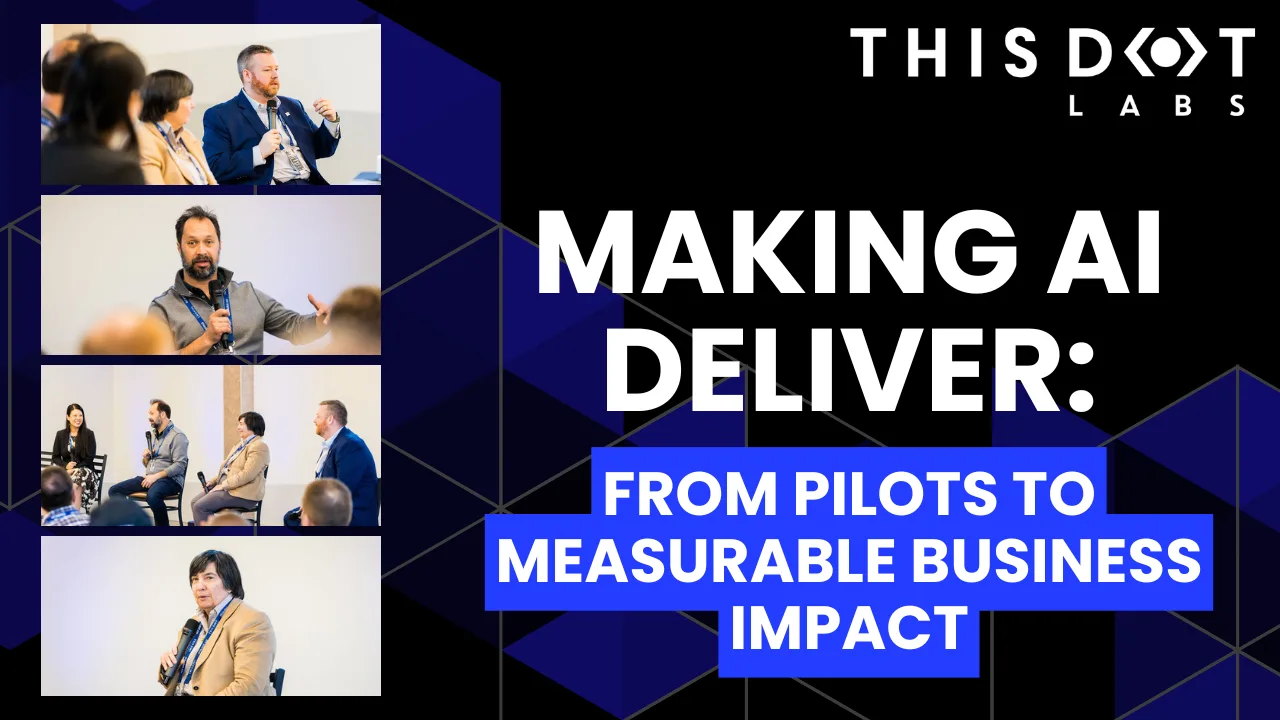
A lot of organizations have experimented with AI, but far fewer are seeing real business results. At the Leadership Exchange, this panel focused on what it actually takes to move beyond experimentation and turn AI into measurable ROI. Over the past few years, many organizations have experimented with AI, but the challenge today is translating experimentation into measurable business value. Moderated by Tracy Lee, CEO at This Dot Labs, panelists featured Dorren Schmitt, Vice President IT Strategy & Innovation at Allen Media Group, Greg Geodakyan, CTO at Client Command, and Elliott Fouts, CAIO & CTO at This Dot Labs. Panelists discussed how companies are moving from early AI experiments to initiatives that deliver real results. They began by examining how experimentation has evolved over the past year. While many organizations did not fully utilize AI experimentation budgets in 2025, 2026 is showing a shift toward more intentional investment. Structured budgets and clearly defined frameworks are enabling companies to explore AI strategically and identify initiatives with high potential impact. The conversation then turned to alignment and ROI. Panelists highlighted the importance of connecting AI projects to corporate strategy and leadership priorities. Ensuring that AI initiatives translate into operational efficiency, productivity gains, and measurable business impact is essential. Companies that successfully align AI efforts with organizational goals are better equipped to demonstrate tangible outcomes from their investments. Moving from pilots and proofs of concept to production was another major focus. Governance, prioritization, and workflow integration were cited as essential for scaling AI initiatives. One panelist shared that out of nine proofs of concept, eight successfully launched, resulting in improvements in quality and operational efficiency. Panelists also explored the future of AI within organizations, including the potential for agentic workflows and reduced human-in-the-loop processes. New capabilities are emerging that extend beyond coding tasks, reshaping how teams collaborate and how work is structured across departments. Key Takeaways - Structured experimentation and defined budgets allow organizations to explore AI strategically and safely. - Alignment with business priorities is essential for translating AI capabilities into measurable outcomes. - Governance and workflow integration are critical to moving AI initiatives from pilot stages to production deployment. Successfully leveraging AI requires a balance between experimentation, strategic alignment, and operational discipline. Organizations that approach AI as a structured, measurable initiative can capture meaningful results and unlock new opportunities for innovation. Curious how your organization can move from AI experimentation to real impact? Let’s talk. Reach out to continue the conversation or join us at an upcoming Leadership Exchange. Tracy can be reached at tlee@thisdot.co....

What Sets the Best Autonomous Coding Agents Apart? cover image

What Sets the Best Autonomous Coding Agents Apart?

Must-have Features of Coding Agents Autonomous coding agents are no longer experimental, they are becoming an integral part of modern development workflows, redefining how software is built and maintained. As models become more capable, agents have become easier to produce, leading to an explosion of options with varying depth and utility. Drawing insights from our experience using many agents, let's delve into the features that you'll absolutely want to get the best results. 1. Customizable System Prompts Custom agent modes, or roles, allow engineers to tailor the outputs to the desired results of their task. For instance, an agent can be set to operate in a "planning mode" focused on outlining development steps and gathering requirements, a "coding mode" optimized for generating and testing code, or a "documentation mode" emphasizing clarity and completeness of written artifacts. You might start with the off-the-shelf planning prompt, but you'll quickly want your own tailored version. Regardless of which modes are included out of the box, the ability to customize and extend them is critical. Agents must adapt to your unique workflows and prioritize what's important to your project. Without this flexibility, even well-designed defaults can fall short in real-world use. Engineers have preferences, and projects contain existing work. The best agents offer ways to communicate these preferences and decisions effectively. For example, 'pnpm' instead of 'npm' for package management, requiring the agent to seek root causes rather than offer temporary workarounds, or mandating that tests and linting must pass before a task is marked complete. Rules are a layer of control to accomplish this. Rules reinforce technical standards but also shape agent behavior to reflect project priorities and cultural norms. They inform the agent across contexts, think constraints, preferences, or directives that apply regardless of the task. Rules can encode things like style guidelines, risk tolerances, or communication boundaries. By shaping how the agent reasons and responds, rules ensure consistent alignment with desired outcomes. Roo code is an agent that makes great use of custom modes, and rules are ubiquitous across coding agents. These features form a meta-agent framework that allows engineers to construct the most effective agent for their unique project and workflow details. 2. Usage-based Pricing The best agents provide as much relevant information as possible to the model. They give transparency and control over what information is sent. This allows engineers to leverage their knowledge of the project to improve results. Being liberal with relevant information to the models is more expensive however, it also significantly improves results. The pricing model of some agents prioritizes fixed, predictable costs that include model fees. This creates an incentive to minimize the amount of information sent to the model in order to control costs. To get the most out of these tools, you’ve got to get the most out of models, which typically implies usage-based pricing. 3. Autonomous Workflows The way we accomplish work has phases. For example, creating tests and then making them pass, creating diagrams or plans, or reviewing work before submitting PRs. The best agents have mechanisms to facilitate these phases in an autonomous way. For the best results, each phase should have full use of a context window without watering down the main session's context. This should leverage your custom modes, which excel at each phase of your workflow. 4. Working in the Background The best agents are more effective at producing desired results and thus are able to be more autonomous. As agents become more autonomous, the ability to work in the background or work on multiple tasks at once becomes increasingly necessary to unlock their full potential. Agents that leverage local or cloud containers to perform work independently of IDEs or working copies on an engineer's machine further increase their utility. This allows engineers to focus on drafting plans and reviewing proposed changes, ultimately to work toward managing multiple tasks at once, overseeing their agent-powered workflows as if guiding a team. 5. Integrations with your Tools The Model Context Protocol (MCP) serves as a standardized interface, allowing agents to interact with your tools and data sources. The best agents seamlessly integrate with the platforms that engineers rely on, such as Confluence for documentation, Jira for tasks, and GitHub for source control and pull requests. These integrations ensure the agent can participate meaningfully across the full software development lifecycle. 6. Support for Multiple Model Providers Reliance on a single AI provider can be limiting. Top-tier agents support multiple providers, allowing teams to choose the best models for specific tasks. This flexibility enhances performance, the ability to use the latest and greatest, and also safeguards against potential downtimes or vendor-specific issues. Final Thoughts Selecting the right autonomous coding agent is a strategic decision. By prioritizing the features mentioned, technology leaders can adopt agents that can be tuned for their team's success. Tuning agents to projects and teams takes time, as does configuring the plumbing to integrate well with other systems. However, unlocking massive productivity gains is worth the squeeze. Models will become better and better, and the best agents capitalize on these improvements with little to no added effort. Set your organization and teams up to tap into the power of AI-enhanced engineering, and be more effective and more competitive....

Next.js + MongoDB Connection Storming cover image

Next.js + MongoDB Connection Storming

Building a Next.js application connected to MongoDB can feel like a match made in heaven. MongoDB stores all of its data as JSON objects, which don’t require transformation into JavaScript objects like relational SQL data does. However, when deploying your application to a serverless production environment such as Vercel, it is crucial to manage your database connections properly. If you encounter errors like these, you may be experiencing Connection Storming: * MongoServerSelectionError: connect ECONNREFUSED <IP_ADDRESS>:<PORT> * MongoNetworkError: failed to connect to server [<hostname>:<port>] on first connect * MongoTimeoutError: Server selection timed out after <x> ms * MongoTopologyClosedError: Topology is closed, please connect * Mongo Atlas: Connections % of configured limit has gone above 80 Connection storming occurs when your application has to mount a connection to Mongo for every serverless function or API endpoint call. Vercel executes your application’s code in a highly concurrent and isolated fashion. So, if you create new database connections on each request, your app might quickly exceed the connection limit of your database. We can leverage Vercel’s fluid compute model to keep our database connection objects warm across function invocations. Traditional serverless architecture was designed for quick, stateless web app transactions. Now, especially with the rise of LLM-oriented applications built with Next.js, interactions with applications are becoming more sequential. We just need to ensure that we assign our MongoDB connection to a global variable. Protip: Use global variables Vercel’s fluid compute model means all memory, including global constants like a MongoDB client, stays initialized between requests as long as the instance remains active. By assigning your MongoDB client to a global constant, you avoid redundant setup work and reduce the overhead of cold starts. This enables a more efficient approach to reusing connections for your application’s MongoDB client. The example below demonstrates how to retrieve an array of users from the users collection in MongoDB and either return them through an API request to /api/users or render them as an HTML list at the /users route. To support this, we initialize a global clientPromise variable that maintains the MongoDB connection across warm serverless executions, avoiding re-initialization on every request. ` Using this database connection in your API route code is easy: ` You can also use this database connection in your server-side rendered React components. ` In serverless environments like Vercel, managing database connections efficiently is key to avoiding connection storming. By reusing global variables and understanding the serverless execution model, you can ensure your Next.js app remains stable and performant....

Vercel BotID: The Invisible Bot Protection You Needed cover image

Vercel BotID: The Invisible Bot Protection You Needed

Nowadays, bots do not act like “bots”. They can execute JavaScript, solve CAPTCHAs, and navigate as real users. Traditional defenses often fail to meet expectations or frustrate genuine users. That’s why Vercel created BotID, an invisible CAPTCHA that has real-time protections against sophisticated bots that help you protect your critical endpoints. In this blog post, we will explore why you should care about this new tool, how to set it up, its use cases, and some key considerations to take into account. We will be using Next.js for our examples, but please note that this tool is not tied to this framework alone; the only requirement is that your app is deployed and running on Vercel. Why Should You Care? Think about these scenarios: - Checkout flows are overwhelmed by scalpers - Signup forms inundated with fake registrations - API endpoints draining resources with malicious requests They all impact you and your users in a negative way. For example, when bots flood your checkout page, real customers are unable to complete their purchases, resulting in your business losing money and damaging customer trust. Fake signups clutter the app, slowing things down and making user data unreliable. When someone deliberately overloads your app’s API, it can crash or become unusable, making users angry and creating a significant issue for you, the owner. BotID automatically detects and filters bots attempting to perform any of the above actions without interfering with real users. How does it work? A lightweight first-party script quickly gathers a high set of browser & environment signals (this takes ~30ms, really fast so no worry about performance issues), packages them into an opaque token, and sends that token with protected requests via the rewritten challenge/proxy path + header; Vercel’s edge scores it, attaches a verdict, and checkBotId() function simply reads that verdict so your code can allow or block. We will see how this is implemented in a second! But first, let’s get started. Getting Started in Minutes 1. Install the SDK: ` 1. Configure redirects Wrap your next.config.ts with BotID’s helper. This sets up the right rewrites so BotID can do its job (and not get blocked by ad blockers, extensions, etc.): ` 2. Integrate the client on public-facing pages (where BotID runs checks): Declare which routes are protected so BotID can attach special headers when a real user triggers those routes. We need to create instrumentation-client.ts (place it in the root of your application or inside a src folder) and initialize BotID once: ` instrumentation-client.ts runs before the app hydrates, so it’s a perfect place for a global setup! If we have an inferior Next.js version than 15.3, then we would need to use a different approach. We need to render the React component inside the pages or layouts you want to protect, specifying the protected routes: ` 3. Verify requests on your server or API: ` - NOTE: checkBotId() will fail if the route wasn’t listed on the client, because the client is what attaches the special headers that let the edge classify the request! You’re all set - your routes are now protected! In development, checkBotId() function will always return isBot = false so you can build without friction. To disable this, you can override the options for development: ` What happens on a failed check? In our example above, if the check failed, we return a 403, but it is mostly up to you what to do in this case; the most common approaches for this scenario are: - Hard block with a 403 for obviously automated traffic (just what we did in the example above) - Soft fail (generic error/“try again”) when you want to be cautious. - Step-up (require login, email verification, or other business logic). Remember, although rare, false positives can occur, so it’s up to you to determine how you want to balance your fail strategy between security, UX, telemetry, and attacker behavior. checkBotId() So far, we have seen how to use the property isBot from checkBotId(), but there are a few more properties that you can leverage from it. There are: isHuman (boolean): true when BotID classifies the request as a real human session (i.e., a clear “pass”). BotID is designed to return an unambiguous yes/no, so you can gate actions easily. isBot (boolean): We already saw this one. It will be true when the request is classified as automated traffic. isVerifiedBot (boolean): Here comes a less obvious property. Vercel maintains and continuously updates a comprehensive directory of known legitimate bots from across the internet. This directory is regularly updated to include new legitimate services as they emerge. This could be helpful for allowlists or custom logic per bot. We will see an example in a sec. verifiedBotName? (string): The name for the specific verified bot (e.g., “claude-user”). verifiedBotCategory? (string): The type of the verified bot (e.g., “webhook”, “advertising”, “ai_assistant”). bypassed (boolean): it is true if the request skipped BotID check due to a configured Firewall bypass (custom or system). You could use this flag to avoid taking bot-based actions when you’ve explicitly bypassed protection. Handling Verified Bots - NOTE: Handling verified bots is available in botid@1.5.0 and above. It might be the case that you don’t want to block some verified bots because they are not causing damage to you or your users, as it can sometimes be the case for AI-related bots that fetch your site to give information to a user. We can use the properties related to verified bots from checkBotId() to handle these scenarios: ` Choosing your BotID mode When leveraging BotID, you can choose between 2 modes: - Basic Mode: Instant session-based protection, available for all Vercel plans. - Deep Analysis Mode: Enhanced Kasada-powered detection, only available for Pro and Enterprise plan users. Using this mode, you will leverage a more advanced detection and will block the hardest to catch bots To specify the mode you want, you must do so in both the client and the server. This is important because if either of the two does not match, the verification will fail! ` Conclusion Stop chasing bots - let BotID handle them for you! Bots are and will get smarter and more sophisticated. BotID gives you a simple way to push back without slowing your customers down. It is simple to install, customize, and use. Stronger protection equals fewer headaches. Add BotID, ship with confidence, and let the bots trample into a wall without knowing what’s going on....

Let's innovate together!

We're ready to be your trusted technical partners in your digital innovation journey.

Whether it's modernization or custom software solutions, our team of experts can guide you through best practices and how to build scalable, performant software that lasts.

Prefer email? hi@thisdot.co