
Async Components have had their roots in the Vue JS framework since the second version release. However, in Vue 3, they've had a revamped facelift and their API is a well defined and clear API interface.
Async components are best used in medium to large apps. When an app is formed out of several hundred components, it's wise not to load all the components at once in a single chunk. Rather, the recommendation is to split the components' packing into a set of smaller packages that get loaded whenever needed asynchronously.
While developing, nothing will change in terms of using and placing components inside the <template> section. However, only importing those components will change slightly. Vue 3 offers an intuitive and clear API to help you define the async components.
In this article, we'll explore the new Async Components API, delve into the details and show it in action.
Async Components In Action
Before we go further, here's a link to the Async Components RFC to keep as a reference for later.
The new API offers the defineAsyncComponent() method that you use to define the Async Components.
This method accepts a callback function. In return, this callback function should return an instance of a Promise.
Async Load Inline Defined Component
In the simplest form, defining a local async component can be done as follows:
import { createApp, defineAsyncComponent } from "./vue.esm-browser";

const LocalComponent = defineAsyncComponent(
  () =>
    new Promise((resolve) => {
      resolve({
        template: `
          <h2>
            This is a local component defined as async!
          </h2>
        `
      });
    })
);

const App = {
  components: {
    LocalComponent
  },
  template: `
    <h1>Local Async Component Vue 3</h1>
    <div class="app">
      <LocalComponent />
    </div>
  `
};

createApp(App).mount("#app");
You can play with this example at codesandbox.io.
Let's focus on the local variable named LocalComponent. This variable is assigned the result of calling the defineAsyncComponent() function. The result is a component named AsyncComponentWrapper that wraps around the loaded component.
The callback passed to defineAsyncComponent() function accepts zero parameters and returns a new Promise.
The Promise in this case, resolves an inline Vue Component using the Object Literal method that defines the template of the component returned.
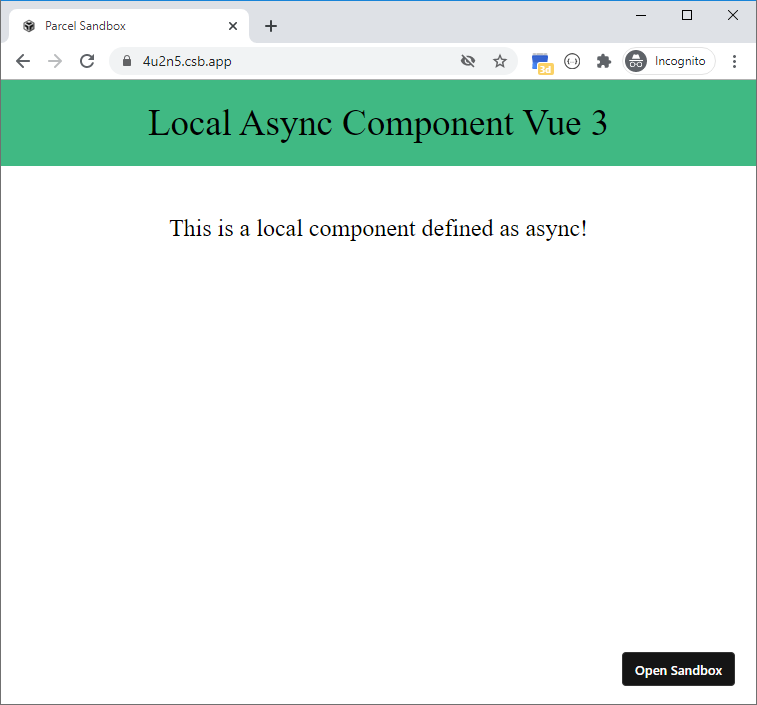
Figure 1 shows the app running.
Async Load Standalone Defined Component
The other way to load components async is to have a component defined in its own file and loaded asynchronously when needed.
import { createApp, defineAsyncComponent } from "./vue.esm-browser";

const StandaloneComponent = defineAsyncComponent(() => import("./Standalone"));

const App = {
  components: {
    StandaloneComponent
  },
  template: `
    <h1>Standalone Async Component Vue 3</h1>
    <div class="app">
      <StandaloneComponent />
    </div>
  `
};

createApp(App).mount("#app");
The StandaloneComponent is assigned the result of calling the defineAsyncComponent() function. The result is a component named AsyncComponentWrapper that wraps around the loaded component.
The callback passed to defineAsyncComponent() function returns the Promise result returned by calling the import() function.
The import() function in this context refers to the Dynamic Import feature in JavaScript.
If you are running a Vue 3 app using the Vue CLI then the import() function refers to the Webpack Import function.
Instead of defining the component-to-be-async-loaded inline, the code imports an existing standalone component:
export default {
  name: "Standalone Component",
  template: `
    <h2>
      This is a standalone component loaded asynchronously!
    </h2>
  `
};
Figure 2 shows the app running.

You can play with this example at codesandbox.io
Where to define Async Components?
There are two main forms of defining async components in a Vue app.
You've already seen one form, where the async component is defined locally inside the component.
The other option is to define the async component globally at the app level:
import { createApp, defineAsyncComponent } from "./vue.esm-browser";

const StandaloneComponent = defineAsyncComponent(() => import("./Standalone"));

const App = {
  template: `
    <h1>Standalone Async Component Vue 3</h1>
    <div class="app">
      <stand-alone />
    </div>
  `
};

const app = createApp(App);
app.component("stand-alone", StandaloneComponent);
app.mount("#app");
Figure 3 shows the app running.

You can play with this example at codesandbox.io
Async Components API
Defining an async component can take two forms: the simple usage and the options usage.
Simple Usage
So far you've seen how to define an async component the simple way. The defineAsyncComponent() method accepts a callback that returns a Promise.
const StandaloneComponent = defineAsyncComponent(() => import("./Standalone"));
Options Usage
The Async Component API offers a rich API to better control loading components asynchronously.
import { createApp, defineAsyncComponent } from "./vue.esm-browser";
import LoadingComponent from "./LoadingComponent";
import ErrorComponent from "./ErrorComponent";

const StandaloneComponent = defineAsyncComponent({
  loader: () => import("./Standalone"),
  loadingComponent: LoadingComponent,
  errorComponent: ErrorComponent,
  delay: 200, // default: 200
  timeout: 3000, // default: Infinity
  suspensible: false, // default: true
  onError(error, retry, fail, attempts) {
    if (error.message.match(/fetch/) && attempts <= 3) {
      retry();
    } else {
      fail();
    }
  }
});

const App = {
  template: `
    <h1>Options Usage Async Component Vue 3</h1>
    <div class="app">
      <stand-alone />
    </div>
  `
};

const app = createApp(App);

app.component("ErrorComponent", ErrorComponent);
app.component("LoadingComponent", LoadingComponent);

app.component("stand-alone", StandaloneComponent);
app.mount("#app");
You can play with this example at codesandbox.io.
The defineAsyncComponent() method now accepts an object with several options. Let's dissect this object!
-
loader: It's the bread and butter behind the API. The loader returns a Promise to load the component. Now you can clearly see that the simple usage of the API specifies only a loader!
-
loadingComponent: Is one you define to show to the user while the API loads the component asynchronously.
-
errorComponent: You define to show to the user when there is an error loading the component.
-
delay: It's the time elapse before showing the
loadingComponentto the user. -
timeout: It's the time elapsed between requesting the component and having it ready to render to the user.
-
suspensible: By default this property is set to
false. This is useful when a<Suspense>component is wrapping a component that makes use of Async Component API to load components asynchronously. If the value ofsuspensibleis set totrue, then the<Suspense>component takes precedence in showing a fallback content. TheloadingComponent,delay, and other properties of the API will be ignored in this case. If the value was keptfalse, then the API will take precedence over the<Suspense>component.
You can read more about Suspense in Vue 3.
- onErorr: This function has been newly added to the Async Component API in Vue 3. It accepts a few parameters: error, retry, fail, and attempts. When the component fails to load, this function is called.
errorparameter gives details about the error that occurred.retryis a function callback that you can call to try loading the component again.failis a function callback that you can call to stop any further trials of loading the component. Finally, theattemptsare the number of attempts that were carried out in order to load the component.
In brief, that is an introduction to the Async Components API in Vue 3.
About the author